
Few-shot prompting is a simple way to get better answers from AI; you show it a few examples of what you want.
You ask ChatGPT for something simple, like a short email subject line, and the answer comes back too long, too stiff, or in the wrong style. You then spend ten minutes rewording your request.
There is often a quicker fix. Instead of describing what you want in more words, show the AI two or three examples. That technique is called few-shot prompting, and you don’t need any coding to use it.
What is few-shot prompting?
Few-shot prompting means including a small number of worked examples in your prompt so the AI can copy the pattern. Each example shows an input and the output you want.
The word “shot” means “example”. Anthropic’s documentation describes this technique (it calls it multi-shot prompting) as especially useful when you need structured outputs or a specific format. Its documentation calls the technique few-shot or multi-shot prompting and says it works particularly well for structured outputs and specific formats.
Zero-shot vs one-shot vs few-shot prompting
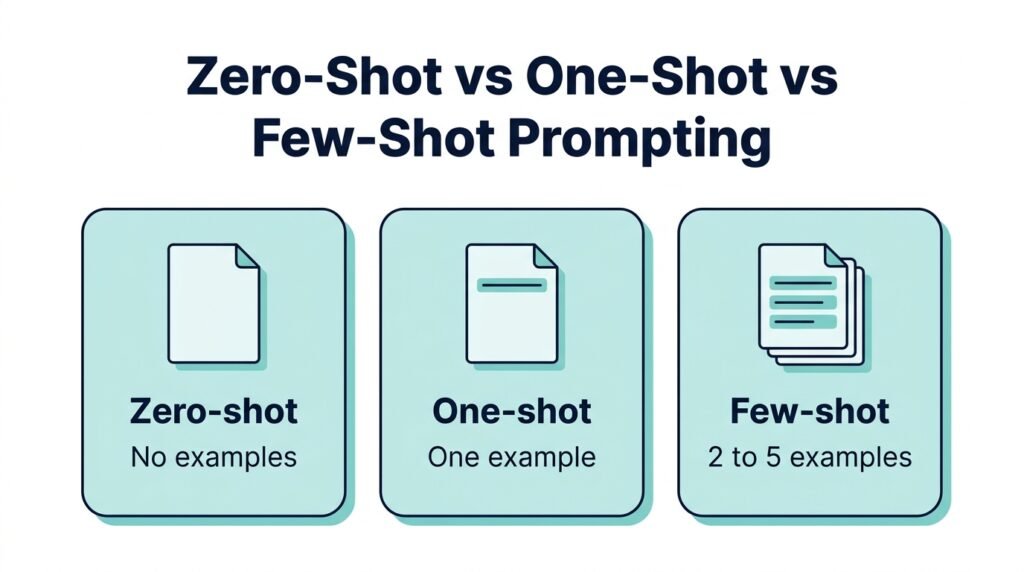
- Zero-shot: You give an instruction and no examples.
- One-shot: You give one example.
- Few-shot: You give several examples, usually two to five.
Microsoft’s documentation draws the same line: zero-shot prompts include no sample completions, while few-shot prompts include several pairs of prompts and their completions.
How to write a few-shot prompt (simple template)
A good few-shot prompt has four parts:
- A one-line task. Say what you want done.
- Two to four examples. Show an input and the output you want for each.
- A clear separator. Label each example, or use lines like “Input:” and “Output:”.
- Your real input. Put it last, with the output left empty.
Copy this template and replace the brackets:
Task: [Describe what you want in one sentence.]

Example 1
Input: [example input]
Output: [the output you want]

Example 2
Input: [example input]
Output: [the output you want]

Example 3
Input: [example input]
Output: [the output you want]

Now do the same for this:
Input: [your real input]
Output:
4 copy-paste few-shot prompts for everyday tasks
These are starting points. Results vary by tool and model, so read the output and adjust.
1. Email subject lines in a consistent style
Task: Write a short, polite email subject line (under 8 words) for each situation.

Example 1

Situation: Asking a client for feedback on a draft

Subject: Quick feedback on the draft?

Example 2

Situation: Asking to reschedule a meeting

Subject: Can we move Tuesday's meeting?

Example 3

Situation: Following up on an unpaid invoice

Subject: Friendly reminder about invoice 1042

Now do the same for this:

Situation: [your situation]

Subject:
2. Study notes into flashcards
Task: Turn notes into one flashcard each. Keep the question short and the answer under 20 words.

Example 1

Note: Photosynthesis is the process plants use to turn light, water and carbon dioxide into glucose and oxygen.

Q: What does photosynthesis produce?

A: Glucose and oxygen.

Example 2

Note: Supply and demand: when demand rises and supply stays the same, prices tend to go up.

Q: What usually happens to price when demand rises and supply is unchanged?

A: The price tends to go up.

Now do the same for these notes:

[paste your notes]
3. Match your own writing voice
Task: Rewrite my draft so it sounds like my writing samples below. Keep my meaning and facts the same.

Sample 1: [paste a short paragraph you wrote]

Sample 2: [paste another short paragraph you wrote]

Sample 3: [paste a third]

Draft to rewrite:

[paste your draft]
4. Sort messages into categories
Task: Label each message as Question, Complaint or Feedback. Reply with the label only.

Message: "How do I reset my password?"

Label: Question

Message: "The app crashed twice today."

Label: Complaint

Message: "I like the new dark mode."

Label: Feedback

Message: "[your message]"

Label:
See the difference in ChatGPT
To see the difference, I ran the same task twice in ChatGPT. Once with a plain instruction and once with three examples. The task was writing a study tip for exams.
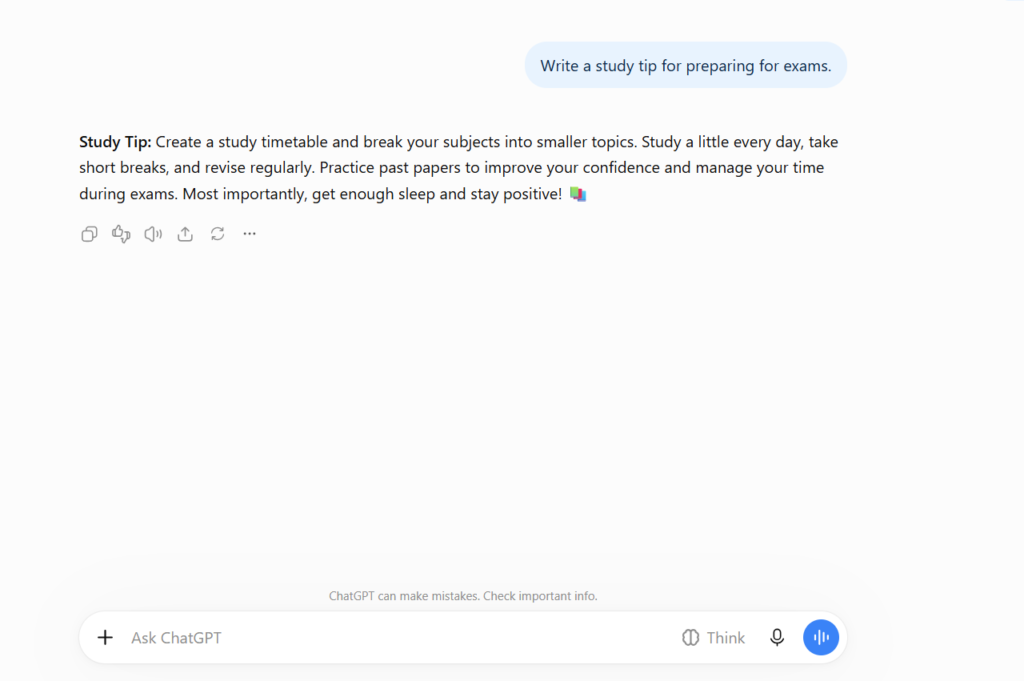
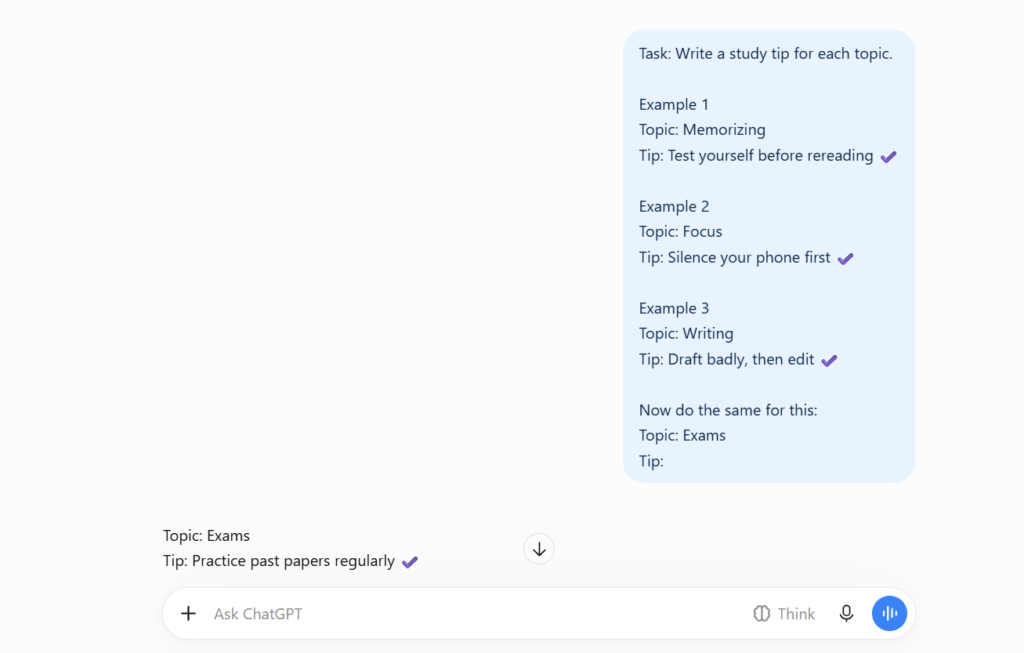
In this example, the plain prompt returned a longer paragraph, while the few-shot version followed the short format from the examples. This is a single run, and results can differ between models and attempts.
How many examples should you use?
There’s no magic number, but a small set usually works best. Anthropic’s documentation recommends 3 to 5 diverse, relevant examples. Start with three. Add more only if the output still isn’t right.
More isn’t always better. If your examples are all very similar, the AI may copy their quirks. The same documentation says examples should mirror your real use case and vary enough that the model doesn’t pick up unintended patterns.
Common mistakes beginners make
- Examples that are too similar. Vary the length, topic and difficulty so the pattern is the one you intended.
- Inconsistent examples. If one example is formal and another is casual, the AI can’t tell which you prefer.
- No clear labels. Mark where each example starts and ends.
- Examples that don’t match your task. Use examples close to what you will actually ask for.
- Skipping the instruction. Examples work best alongside a clear one-line task.
- Sharing private data. Don’t paste client details, passwords or personal information into any AI tool.
When few-shot prompting doesn’t help
Examples are good for format, tone and labeling. They can’t make the AI know facts it doesn’t have, and they don’t guarantee a correct answer. For factual tasks, always check the result against a reliable source. If a task needs step-by-step reasoning, a different technique may suit it better.
FAQs
What is few-shot prompting in simple words?
It means showing an AI a few examples of what you want, so it follows the same pattern for your real request.
What is the difference between zero-shot and few-shot prompting?
Zero-shot gives only an instruction. Few-shot adds a small set of examples.
Does a few-shot prompting work in ChatGPT?
You can include examples in any chat message, so you can try it in ChatGPT and other chatbots. Results depend on the model and the task.
How many examples do I need?
Start with two to three. Add a few more only if the answer still misses your pattern.
Conclusion
Few-shot prompting is one of the simplest ways to get more consistent answers from an AI chatbot. Describe the task, show a few good examples, and put your real input last. Try the email subject line prompt first, since it takes about a minute to test.
